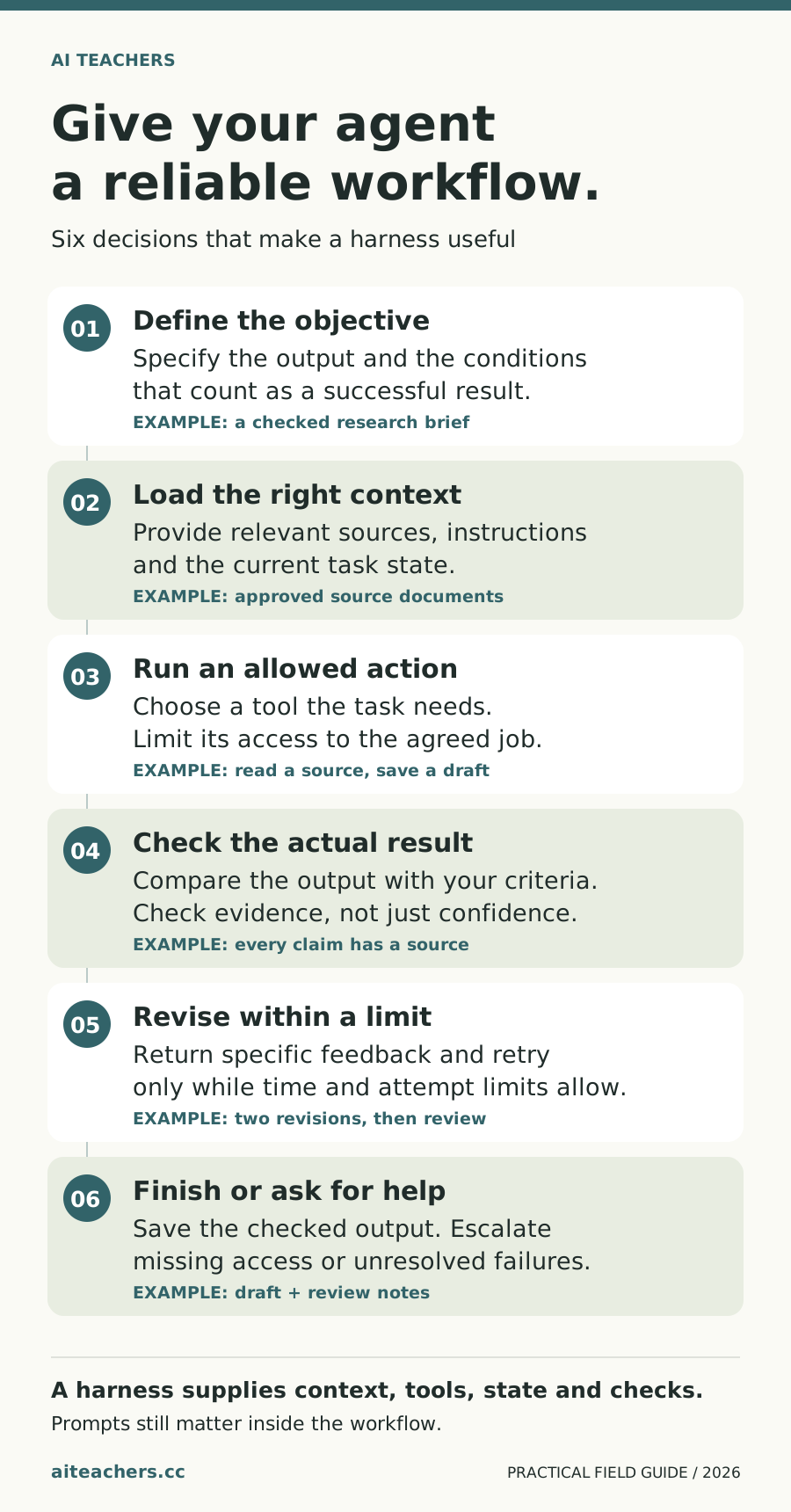
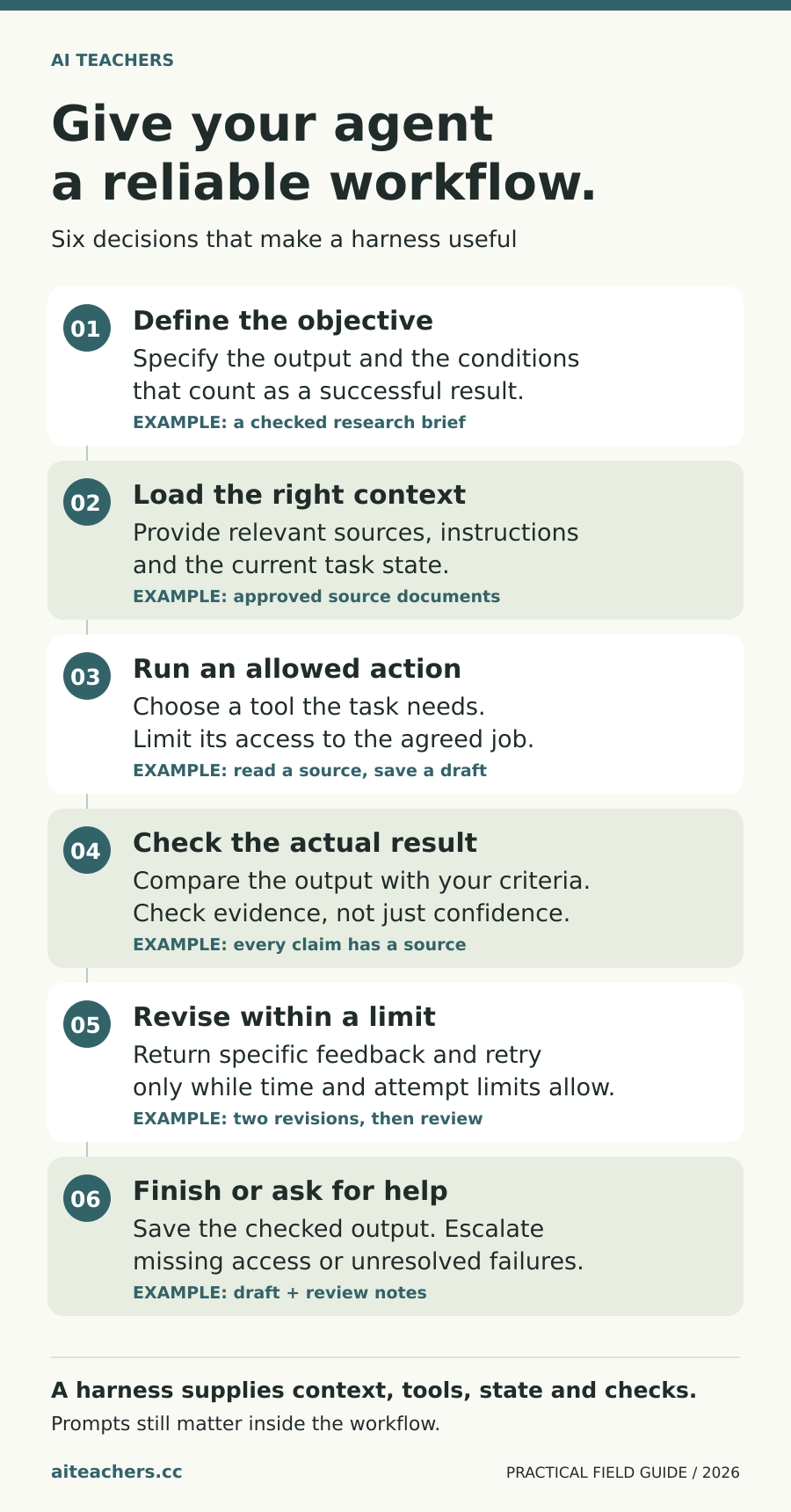
A harness gives an agent the context, tools, state and checks needed to work toward a defined result. Start with a small workflow you can review.
Start with a useful outcome
You ask an AI assistant to prepare a customer reply. It writes a polished draft, but the delivery date is wrong. Asking for a better answer might improve the wording. A more reliable workflow would first retrieve the current order record, draft the message, check the date against that record, and place the result where you can approve it.
The words you give the assistant still matter. So do the tools it can use, the information it receives, the checks it must pass, and the rules that govern what happens next. Those surrounding parts explain why the conversation about AI now includes harnesses, loops, and graphs.
Learn the parts through one example
| Term | Plain-language meaning | Customer-reply example |
|---|---|---|
| Model | The trained system that generates outputs from its input. | The language model drafts the reply. |
| Prompt | The instructions or request supplied to the model. | “Explain the updated delivery date clearly.” |
| Context | The information available to the model for that step. | The message, order record, policy, and tone examples. |
| Inference | Using a trained model to produce an output. | One model call proposes the draft; another may review it. |
| Tokens | Units a model processes; for text, they can be words, word pieces, or punctuation. | Instructions, records, and generated text contribute to usage. |
| Tool | A capability the system can invoke to retrieve information or act. | Look up the order or save a draft. |
| Agent | A system in which a model can select actions and use tools toward an objective. | The assistant decides which approved record it needs next. |
| Harness | The software around the model that manages execution, tools, context, state, and controls. | It runs the steps, records progress, and enforces available actions. |
| Feedback | Information about whether an output or action met a requirement. | A check reports that the draft used the wrong date. |
| Loop | A repeated process with a condition for continuing or stopping. | Draft, check, revise, then check again within a limit. |
| Graph | A representation of steps and the permitted paths between them. | A passing draft goes to review; missing data goes to an exception queue. |
Plugins and connectors commonly expose capabilities from other software. Their exact meaning varies by product. A connector may let an assistant read an order; sending a reply can require a different action and permission. Check the actual capabilities available in your chosen tool.
A workflow can contain both fixed steps and agent decisions
Anthropic distinguishes predefined workflows from agents that dynamically choose their processes and tool use. Both can be useful. A straightforward approval process may work well with fixed steps, while an investigation may need flexibility about which source to inspect next. Source: Building effective agents.
For this customer-reply example, you could keep the outer process fixed: obtain the record, create the draft, run checks, and request approval. Allow the assistant discretion only where you need it, such as identifying which policy section applies.
This diagram is a proposed design. The review loop is part of the larger graph. It shows that loops and graphs describe different aspects of a workflow; one does not automatically replace the other.
Why a harness matters when work takes longer
Anthropic’s work on long-running agents describes using an initial setup step and persistent progress artifacts so later sessions can continue useful work. The lesson for an everyday process is to leave a readable record of what happened and what remains. Source: Effective harnesses for long-running agents.
For customer replies, that record could identify the source order, the draft version, the checks that failed, the number of revisions, and the person who must resolve an exception. If a tool times out, the system should preserve the work and report the problem.
Writing a rule in a prompt is only part of the design. If the system must never send a message before approval, use the product’s permissions and execution controls to enforce that boundary. The prompt explains the responsibility; the surrounding software needs to support it.
Give feedback something specific to test
Andrew Ng’s published discussion of reflection describes models critiquing and improving their outputs, including using tool feedback. That is a useful starting point for a review loop. Source: Agentic Design Patterns, Reflection.
For a customer reply, “make it better” is an unclear test. Better checks include whether the order number matches, whether the delivery date comes from the current record, and whether the reply contains an unauthorized refund promise. A tone review can complement those checks, but it cannot establish whether an order date is correct.
Set a limit such as two revision attempts for your initial experiment. If the same issue remains, route it to a person with the source record and the failed check. More iterations can increase usage and delay without resolving the underlying problem.
Be precise about self-improvement
A system may improve a draft within one task. It may also save a correction and use it later. Updating the underlying model through training is a separate process. When evaluating an “improving” workflow, ask what actually changes: the output, saved instructions, source material, software, or model weights.
Test a proposed change on a few examples that were not used to create it. A revised rule that fixes one reply can still cause a problem with another. Keep the previous version available so you can compare the results.
Prompts to put it into practice
Replace the brackets with your context. Use information you have permission to share.
Design one bounded workflow
Help me design a workflow for [task]. List the approved inputs, allowed tools, required output and acceptance checks. Set a retry limit and explain when to ask me for help. Mark missing facts rather than guessing.
Try it on your work
Choose a recurring task and sketch its input, action, check, revision limit and final handoff. Try it once with sample information before connecting real systems.
Check the result
- The output matches the original objective.
- Evidence supports the important claims.
- Retries have a limit and unresolved issues have an owner.