
Practice agreeing on a task, sharing context, checking evidence and handing work to another person.
A team exercise inspired by Spotify
Buying access to an AI coding tool is easy. Teaching a team to use it together is a different job. People need to agree on a useful task, provide the right context, inspect the result and know who decides when the answer is uncertain.
Spotify’s June 3, 2026 article about Honk offers a practical starting point. Its background coding agent operates within an established development system, with shared information, standards and verification. The company’s experience suggests that teaching the surrounding workflow deserves as much attention as teaching prompts.
You do not need to reproduce Spotify’s infrastructure to practise these ideas. A small team can begin with one repository, a short working brief, an existing coding assistant and a reviewer who understands the project. The first goal is a repeatable process the team can explain.
What the team should leave with
This 90-minute exercise produces four artifacts: an agreed brief, a small working prototype, a review record and a handoff another person can use. It is a suggested team exercise, not a scheduled event or a promise that a production feature can be finished in 90 minutes.
Use a fictional reading-list page as the workshop project. The user should be able to add an item, find it and mark it complete. Work with invented entries. Decide whether information lasts only for the current session or is stored locally, and make that behavior clear on the page.
Before the session, choose an approved coding tool and a starter project that already runs. Confirm access, installation and a clean baseline. If your group is new to development, have a facilitator prepare the environment so the lesson is about collaboration rather than troubleshooting setup.
1. Spend the first 15 minutes defining a finish line
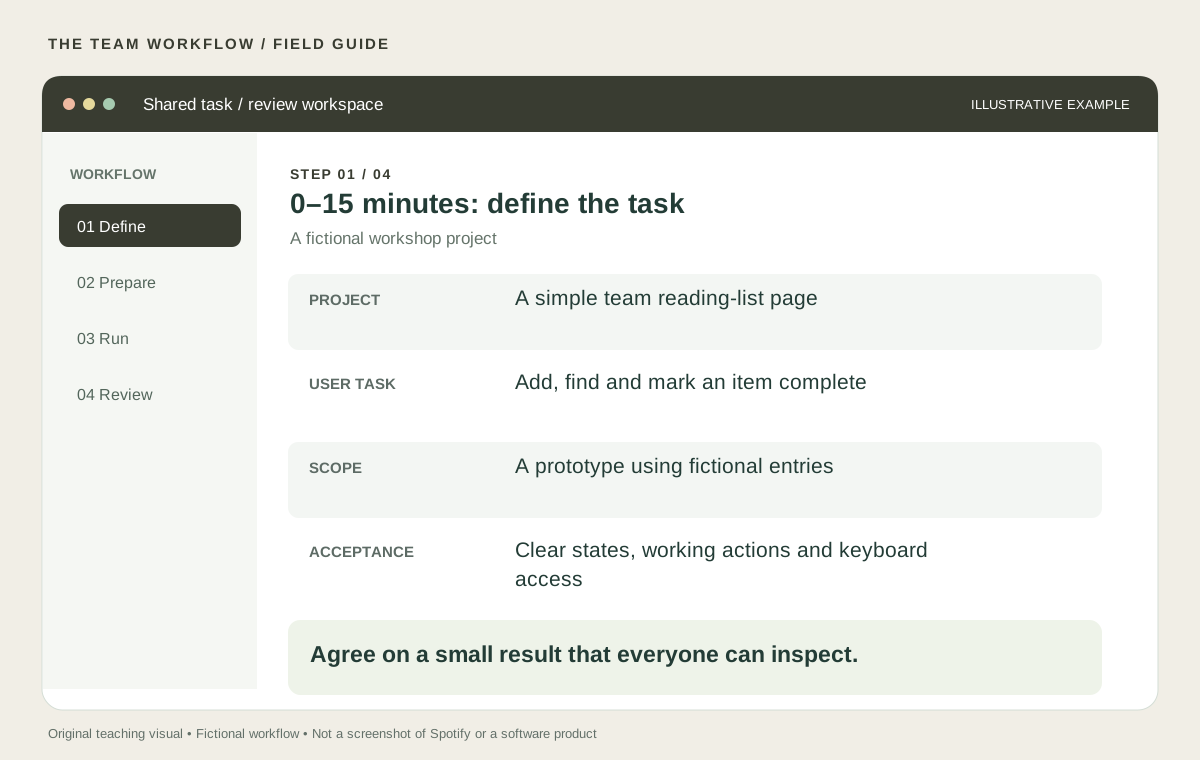
Ask the group to describe the user’s task in one sentence. Then write three or four acceptance criteria that can be checked directly. “Make it intuitive” is difficult to verify. “A person can add an item using only the keyboard and see it appear in the list” gives the reviewer something concrete to try.
Include empty and failure states. What should happen when the title is blank? What if it is unusually long? What should the page show before there are any items? These decisions make the brief useful to both people and an agent.
Keep the scope small. A login system, shared database and notification service introduce separate design and implementation decisions. Save them for a later exercise unless they are already part of the starter project and essential to the learning objective.
Facilitator tip: ask two participants to describe “done” independently. If they disagree, resolve the difference before the agent starts. This often reveals more than another paragraph of prompt instructions.
2. Use minutes 15–35 to prepare context and roles
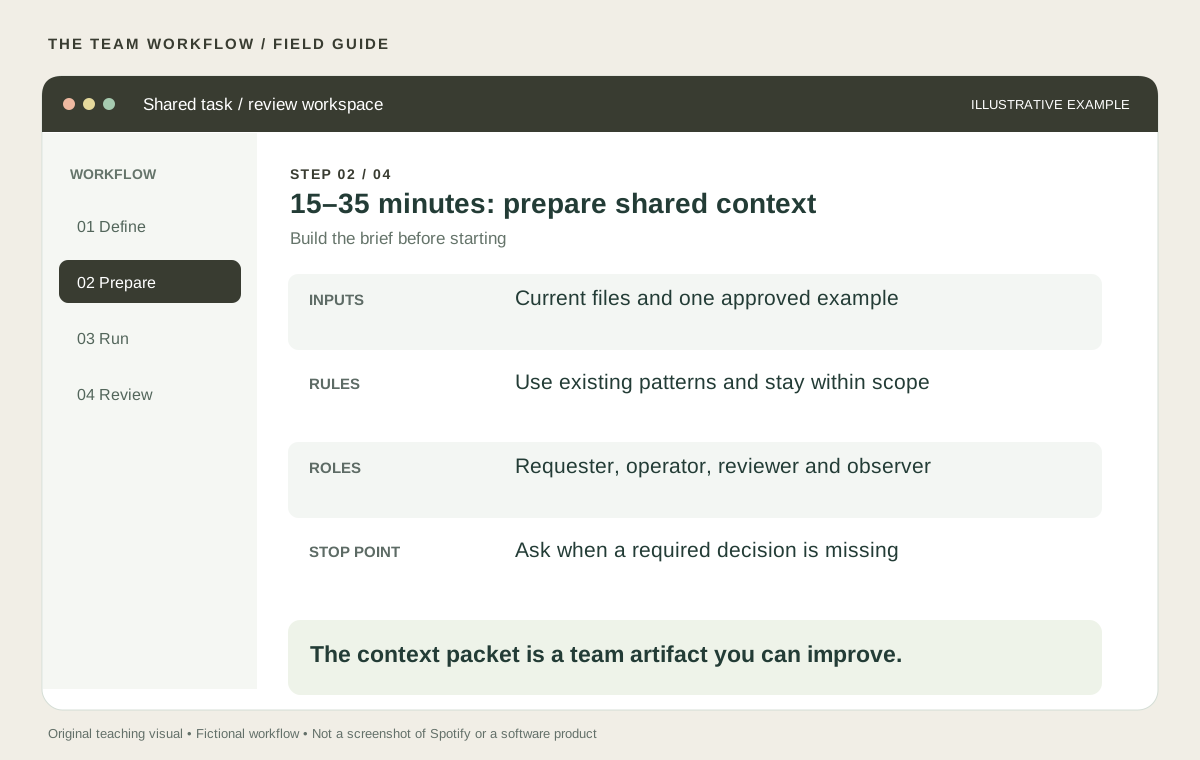
Build a context packet containing the task, relevant files, existing conventions, one good example and the acceptance criteria. Include commands the project actually uses for running and checking the work. Do not invent a test command or assume a file exists.
Assign four roles. The requester explains the user need. The operator works with the agent. The reviewer checks the result. The observer records confusion, waiting and rework. In a pair, combine roles and swap them after the first attempt.
Write a stop rule: if the agent needs a product decision the brief does not answer, it should identify the question and pause that part of the work. This turns uncertainty into something the team can resolve instead of a hidden assumption.
Spotify describes consistent technologies and patterns as useful context for its agents. Apply the same principle at workshop scale: use the starter’s components, naming and layout conventions. The aim is to make the next change easier to understand, including for the person reviewing it.
3. Use minutes 35–60 to build one slice and inspect it
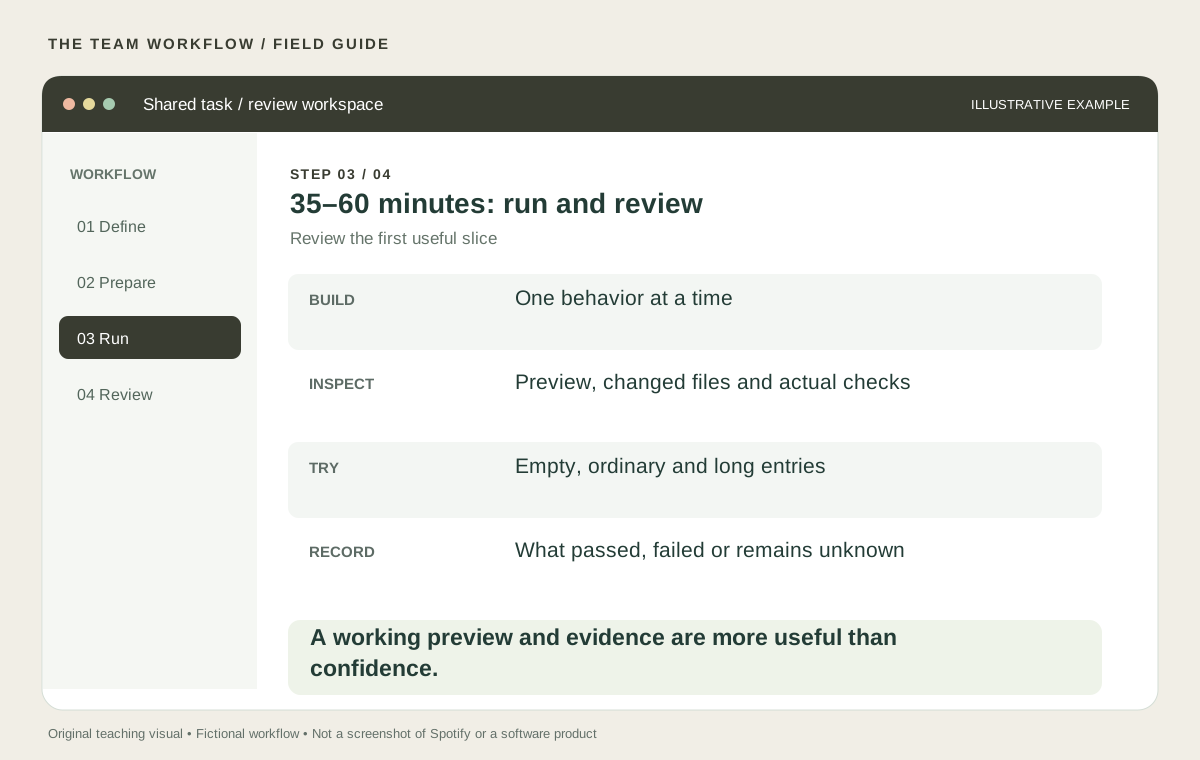
Ask the agent for a short plan and the files it expects to change. Check that plan against the brief. Then implement one behavior, such as adding an item, before moving to the next. Keep a known working version available so the team can compare and recover.
Try the result yourself. Use a normal title, an empty title and a long title. Navigate with the keyboard. Check the page at a narrow width. Refresh it and verify that the persistence behavior matches what the interface says.
Ask the agent to run the project’s existing checks and report the actual results. A statement that something “should work” is a prediction. A successful check is evidence about the behavior that check covers. Neither replaces a person trying the user’s task.
The observer should record where the team lost time. Was the request ambiguous? Did the agent edit the wrong file? Did a reviewer lack enough information? Keep these observations specific. “AI was confusing” is harder to improve than “the handoff did not identify which version the screenshot showed.”
4. Spend minutes 60–90 on a handoff and a second attempt
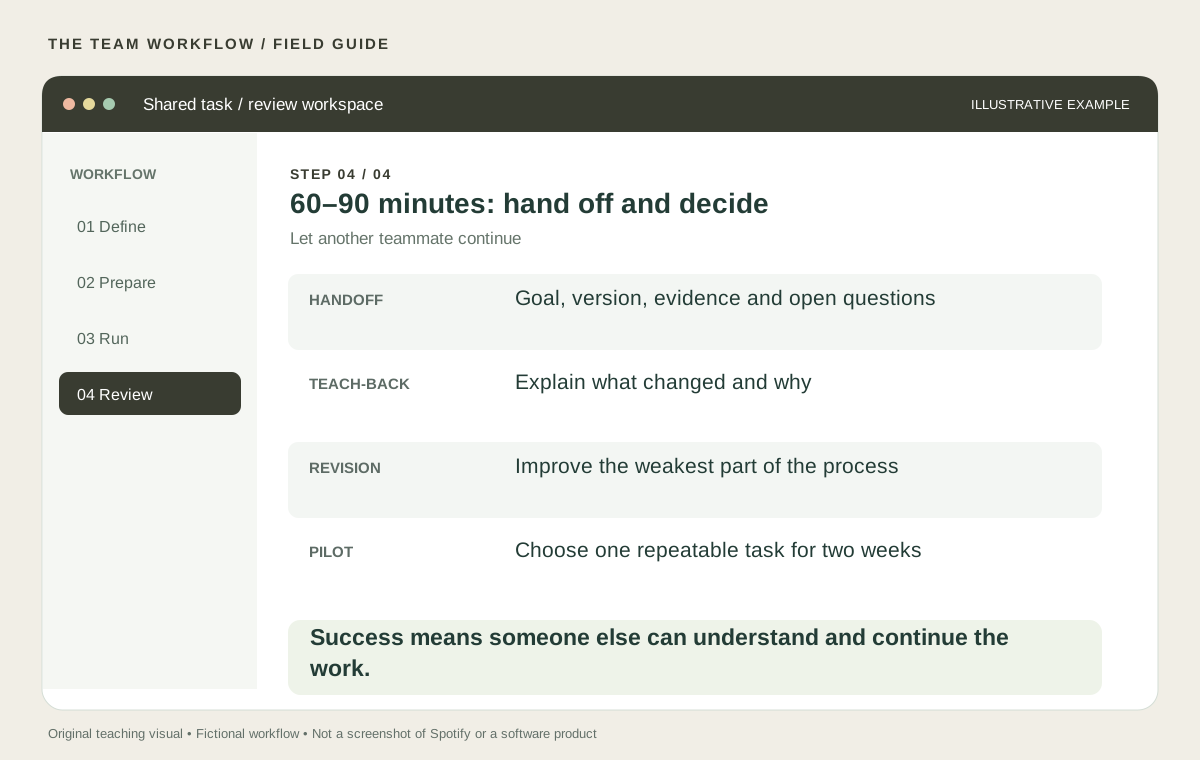
Have the operator prepare a handoff: the goal, changed files, preview, checks completed, unresolved questions and the next action. Give it to a teammate who was not driving the tool. Ask that person to explain what changed and perform the acceptance checks without coaching.
This teach-back is the most useful part of the exercise. A prototype that only its operator understands is not yet a good team workflow. If the next person cannot continue, identify the missing context and improve the handoff.
Use the remaining time for one revision to the process. You might tighten the task, add an example, replace a vague acceptance criterion or create a reusable review checklist. Repeat one small part to see whether the revision helps. Avoid turning the debrief into a contest about which prompt sounded cleverest.
A starter prompt for the exercise
Help implement the agreed reading-list task.
First inspect the relevant files and summarize the current pattern.
Propose a small plan and name the files you expect to change.
Use the existing project conventions and the supplied acceptance criteria.
Ask about missing product decisions instead of silently choosing.
After each slice, report the preview, checks actually run and open questions.
Prepare a handoff another teammate can follow.
Turn the lesson into a two-week pilot
Choose one recurring, bounded task from real work. Keep the same brief and review structure, and name an owner for each run. Start with tasks the reviewer already understands so the team can judge the output competently.
For each run, log preparation time, review time, correction time, whether the result was accepted and what blocked progress. Record tool costs when relevant. Include unsuccessful attempts. A fast first draft can still create extra work later.
At the end of two weeks, compare the complete workflow with your previous approach and document differences between tasks. Decide whether to continue, narrow the scope or change the process. Small samples are useful for learning; they are not proof of a broad productivity claim.
The skill you are building is shared judgment: defining a useful result, supplying context, checking evidence and handing work to another person. Once the team can do that reliably on one small task, it has a sound basis for trying something more ambitious.
Choose your next practical guide
Prompts to put it into practice
Replace the brackets with your context. Use information you have permission to share.
Prepare the shared task
Review our agreed brief. Identify missing decisions, propose one small implementation slice, and return a preview, the checks actually run, and unresolved questions.
Try it on your work
Use a prepared reading-list starter and spend 90 minutes practicing the shared brief, reviewed change and teach-back.
Check the result
- Everyone can describe the same acceptance criteria.
- Another teammate can verify the result using the handoff.
- Failed attempts, review and correction time are in the log.
Sources & further reading
Product documentation checked November 15, 2026. Features, labels, and access can change. Examples and practice prompts are original AI Teachers teaching material.