Agent-friendly websites
Agent-Friendly Website Lesson: llms.txt and Task Testing
A hands-on lesson plan for llms.txt, accessible pages and public APIs, including a fictional site, a six-step exercise and an assessment rubric.
In this guide
- What should you improve first?
- What to build—and what each layer does
- A teachable sequence for a focused workshop
- Worked example: the unavailable certificate
- Assess transfer, not prompt memorization
- The six-step implementation
- A short llms.txt you can adapt
- If you need an API, start with a read
- A better audit prompt
- Test what happened, not what the assistant says happened
- Avoid the shortcuts that create new problems
- Questions worth answering
- Put one improvement to work
- Sources and editorial notes
- Continue with the right practical resource
- Sources and further reading
What should you improve first?
Use a fictional public-information site so the exercise does not expose student records, customer information or private school systems. Give learners one realistic question and an answer key. The task is to make the information easier to use and verify the result, not to persuade a model to say the website is excellent.
A learner who copies an llms.txt file has produced an artifact. A learner who can explain what it does, test its links and identify what it cannot guarantee has built a useful skill. Design the lesson around that second result.
Use a fictional public-information site so the exercise does not expose student records, customer information or private school systems. Give learners one realistic question and an answer key. The task is to make the information easier to use and verify the result, not to persuade a model to say the website is excellent.
What to build—and what each layer does
| Layer | Useful job | What it does not establish |
|---|---|---|
| Readable, accessible pages | Explain the offer and make the next action understandable. | That an agent will interpret every detail correctly. |
| A short llms.txt | Provide a concise map for clients that use it. | Permission, universal adoption or a search ranking boost. |
| Documented read-only data | Return structured facts for a defined task. | That those facts are fresh or safe without maintenance. |
| Optional MCP integration | Expose capabilities to compatible clients. | Automatic discovery, authorization or reliable outcomes. |
Choose the layer that solves the observed problem. llms.txt proposal and format describes the file convention; OpenAPI specification describes HTTP API contracts; Model Context Protocol architecture explains MCP’s client/server architecture. These are different responsibilities.
A teachable sequence for a focused workshop
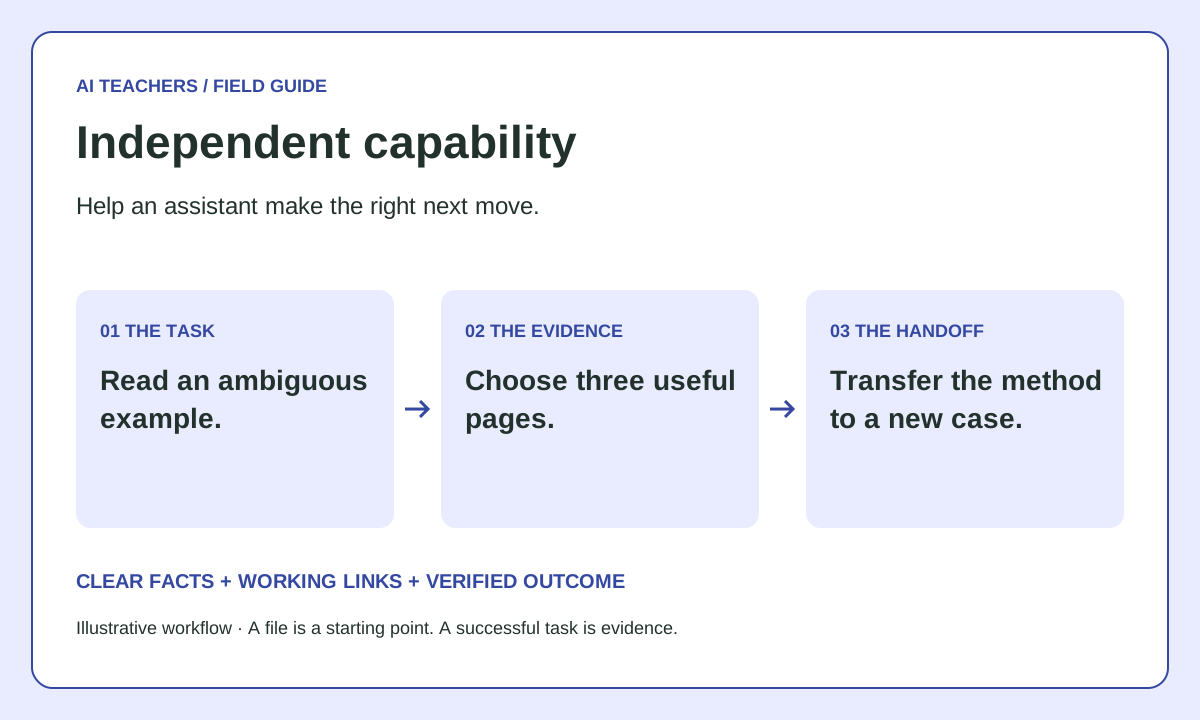
Begin with a short demonstration of an ambiguous page. Ask learners to predict how an assistant might misread it. Have them identify three authoritative pages, write a concise map, and check each URL. Then exchange sites or files with a partner for a fresh test. Reserve time for explaining a failure; a perfect-looking demonstration is not the only useful outcome.
Worked example: the unavailable certificate
Illustrative Practice Learning Lab offers free lessons but no certificate. Its homepage uses vague language about completing a course. Learners revise the page to clarify the offering and link the help page from llms.txt. The assessment asks whether the site issues an accredited certificate. A correct assistant answer identifies the limit and cites the source. A confident invented certificate is a failure even if every technical file loads.
Assess transfer, not prompt memorization
Ask learners to apply the method to a second fictional site with a different problem. Score source selection, valid links, accurate statements, appropriate boundaries and the quality of the retest evidence. Let beginners start with a static page; advanced learners can add a read-only API contract. Neither group needs to deploy a public server or purchase software to understand the core idea.
The six-step implementation
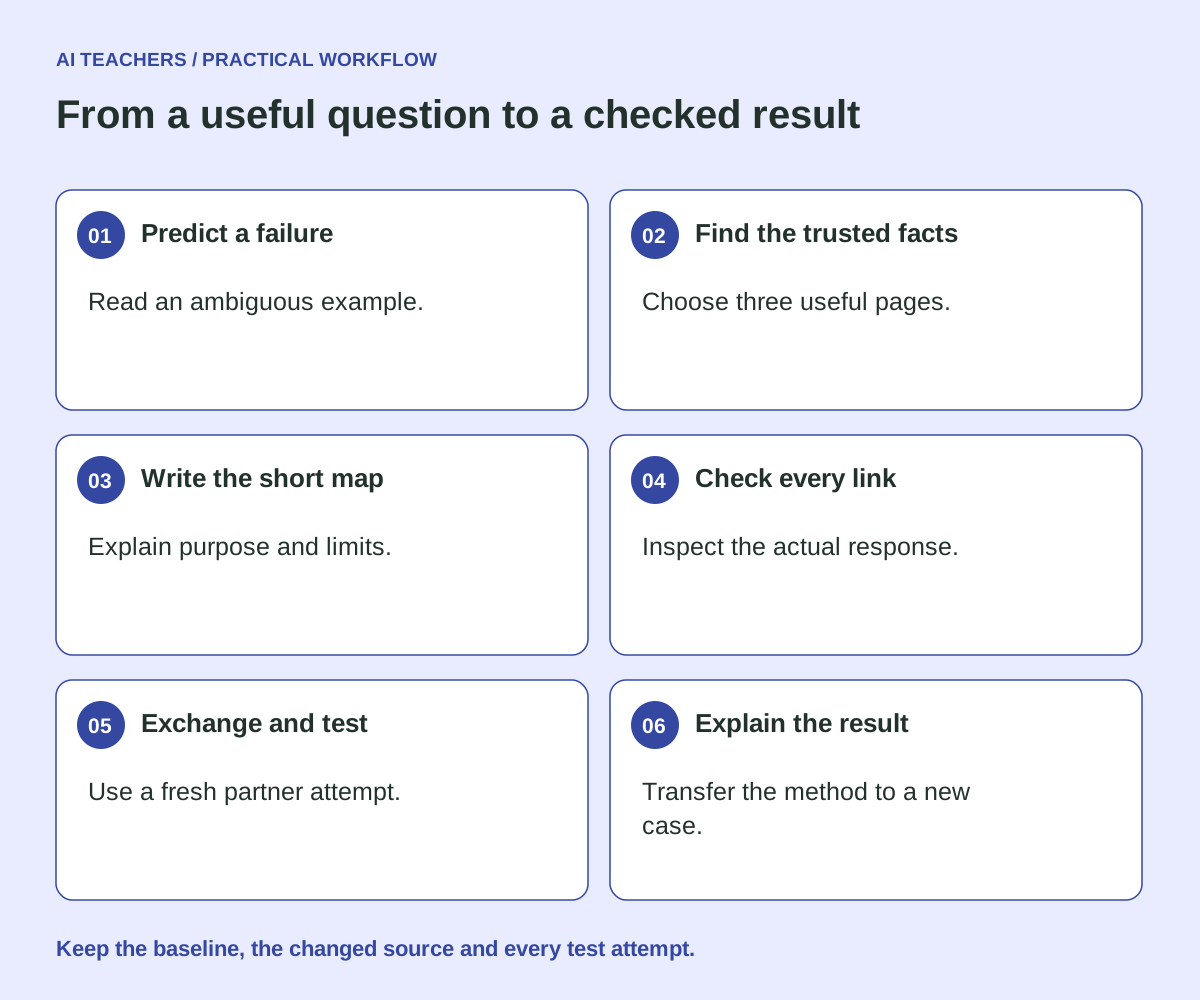
- Predict a failure. Read an ambiguous example.
- Find the trusted facts. Choose three useful pages.
- Write the short map. Explain purpose and limits.
- Check every link. Inspect the actual response.
- Exchange and test. Use a fresh partner attempt.
- Explain the result. Transfer the method to a new case.
A short llms.txt you can adapt
This is an illustrative template. Replace every example.com URL with an existing public page on your own domain. Check the content, not just the link. If your site has no public API, leave API instructions out. Do not publish placeholder endpoints, private URLs, access tokens or customer information.
# Practice Learning Lab

> Explain a fictional website’s purpose, locate its authoritative pages and identify an unsupported action.

## Useful pages
- [Main information](https://example.com/lessons/): The current offering and relevant details.
- [Conditions and process](https://example.com/accessibility/): Eligibility, limitations and how the process works.
- [Next step](https://example.com/help/): The official route for a person to continue.

## Boundaries
This example does not support automated purchases or bookings.
Use the linked pages for current facts; ask when information is missing.
Serve the file at your site root when your hosting setup supports it. In a typical static build, that means placing it in the directory copied to the public root. Verify the deployed URL: a local file alone is not a published file. If your platform already generates one, inspect and maintain that version instead of creating conflicting instructions.
If you need an API, start with a read
The following is a proposed contract, not an endpoint installed on this site. Choose fields that answer the task, document their types and meaning, and return only information you intend to make public. Include a source URL and an update signal where useful. A checked date records a review; it does not guarantee the underlying data is current.
GET https://example.com/api/v1/services
Accept: application/json

{
  "example": true,
  "checked_at": "2026-11-11",
  "items": [{
    "id": "intro",
    "name": "Introductory service",
    "pricing_basis": "Request a current quote",
    "source_url": "https://example.com/services/",
    "available_actions": ["read_details"]
  }]
}
Define no-result and error behavior as carefully as success. Keep private data behind proper access controls. For future actions that change records or spend money, design authentication, authorization, explicit confirmation and duplicate-action protection separately. OWASP API Security Project provides a useful security review starting point.
A better audit prompt
Use an assistant with browsing or request capabilities. If it cannot access the site, it should report the limitation; a fluent response is not proof of inspection.
Review this public website: [URL]. Task: Explain a fictional website’s purpose, locate its authoritative pages and identify an unsupported action.

Use browsing or request tools if available; if unavailable, say what you cannot verify. Inspect the relevant public pages and /llms.txt. Record the URLs you actually fetched and the facts you found. Do not infer success from a 200 response alone. Separate observed facts, missing information and suggested changes. Do not sign in, submit forms, change data, add to a cart or purchase.

Draft a concise llms.txt using only verified public URLs. Include an API example only if a documented public endpoint exists and its read operation is appropriate to test. Do not invent endpoints. Rank the three most useful fixes by customer impact and effort. Explain how to retest each one.
Test what happened, not what the assistant says happened
| Test | Evidence to keep | A passing result |
|---|---|---|
| Retrieve the map | Final URL, status, content type and response body. | The actual text file appears; no login page or application shell. |
| Follow its links | The final destination and the relevant source facts. | Useful pages resolve and match the stated purpose. |
| Try the customer task | Exact prompt, tool capability, answer and cited URLs. | Required facts and next step are correct. |
| Ask an unsupported question | The answer and what the source actually says. | The assistant names the limit rather than inventing a capability. |
| Repeat after a change | Source version, date and all attempted runs. | Any improvement is reproducible within the tested setup. |
Measure for this site’s use case: Independent source checking, correct boundary identification, useful test evidence and successful transfer to a second example.
Run a baseline before editing. Use fresh sessions and keep the prompt and available tools comparable. Include failed attempts in your denominator. Record whether you explicitly told the agent about llms.txt; that is different from observing spontaneous discovery. A scanner is a diagnostic aid, not a certification.
Avoid the shortcuts that create new problems
- Do not replace readable pages with machine-only content. People still need to evaluate the offer.
- Do not treat robots.txt or llms.txt as authentication. Protect private routes with real access controls.
- Do not tell every crawler it may access everything merely to improve a score.
- Do not duplicate prices and policies into several files without an update process.
- Do not claim a successful booking, lead or sale from a generated answer. Verify the actual system result.
For interface implementation, consult Google web.dev: agent-friendly website UX and W3C: labeling form controls. Preserve descriptive controls, meaningful form labels and visible state changes. Agent testing complements human usability and accessibility testing.
Questions worth answering
Will llms.txt improve Google rankings?
No ranking benefit is established by adding this file. Google’s current guidance says it does not use llms.txt for Search visibility. Treat the file as an optional usability aid for clients that consume it; keep ordinary SEO work and task testing separate.
Do I need MCP or Markdown copies of every page?
Not for every project. Start with the smallest interface the task requires. Add Markdown resources or a compatible tool integration when there is a clear consumer and maintenance plan. Check platform support rather than assuming all assistants behave the same way.
Can I use this without coding?
Yes. You can clarify public pages, check links and run the task exercise with your existing website editor and assistant. Publishing a root file depends on the host. A public API requires additional implementation; ask for help if that is outside your skills.
How often should I review it?
Review whenever an offering, policy, route or API contract changes. Assign an owner. Frequently changing prices or stock need stronger freshness controls than a static guide.
Search guidance: Google Search: optimizing for generative AI. Documentation reviewed November 11, 2026. Provider behavior can change; recheck the linked sources when implementing.
Put one improvement to work
Start with this task: Explain a fictional website’s purpose, locate its authoritative pages and identify an unsupported action. Save the baseline, make one justified improvement and keep the retest evidence. Use the result to choose the next useful change.
Sources and editorial notes
- llms.txt proposal and format
- Google Search: optimizing for generative AI
- Google web.dev: agent-friendly website UX
- W3C: labeling form controls
- OpenAPI specification
- Model Context Protocol architecture
- OWASP API Security Project
This guide combines primary-source documentation with original implementation advice and a fictional worked example. It is not a report of measured client results, guaranteed traffic or earnings. The examples use reserved example.com URLs and must be adapted and verified before deployment.
Sources and further reading
- llms.txt proposal and format
- Google Search: optimizing for generative AI
- Google web.dev: agent-friendly website UX
- W3C: labeling form controls
- OpenAPI specification
- Model Context Protocol architecture
- OWASP API Security Project
Sources checked November 11, 2026. Review the linked publisher information for current details.
Put one idea to work
Choose one practical task and verify the result.
Try a practical AI workshop →Explore more from AI TeachersGet the free AI at Work Starter Kit →Keep practicing
 AI browser workflows
Teach a useful AI skill: read three tabs, check the answer, explain the choice
A practical browser-based AI lesson with five illustrated steps, ready-to-use prompts, a fictional pricing exercise, and a simple assessment of independent source checking.
November 11, 2026 · 8 min read Practical AI workflows
Teach Claude Sheets and Whiteboards through one useful exercise
A hands-on lesson that ends with a checked budget, a shared plan and an independent learner attempt.
November 11, 2026 · 7 min read